How fixtures and tables arrive
Your league's fixtures, results and tables don't need typing in. The Fixtures & tables page in the admin brings them in from the national league and keeps them up to date: every Monday morning by itself, or straight away when you press Sync now.
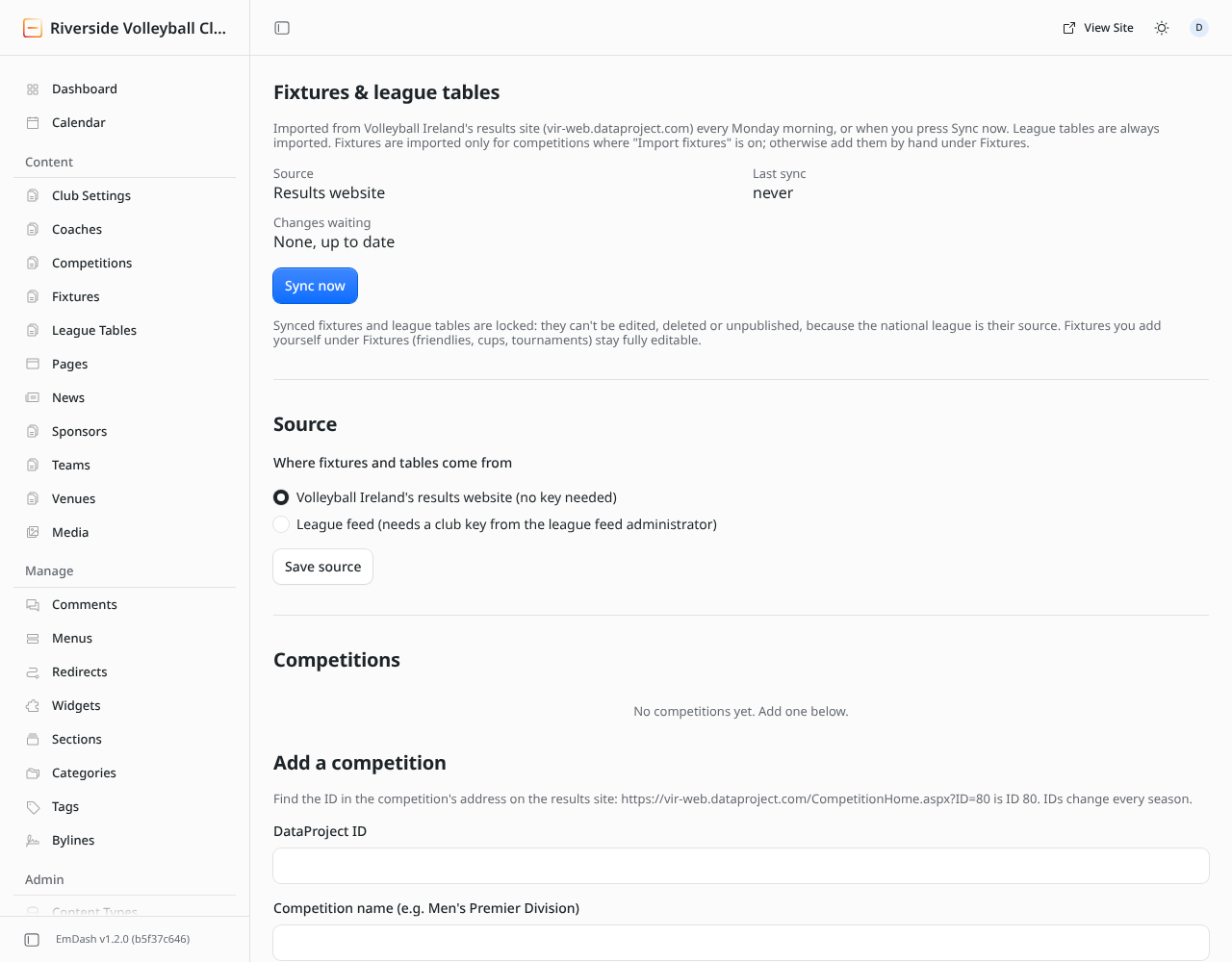
Only administrators can open the Fixtures & tables page. Editors still see the imported fixtures and tables under Fixtures and League Tables.
What gets imported
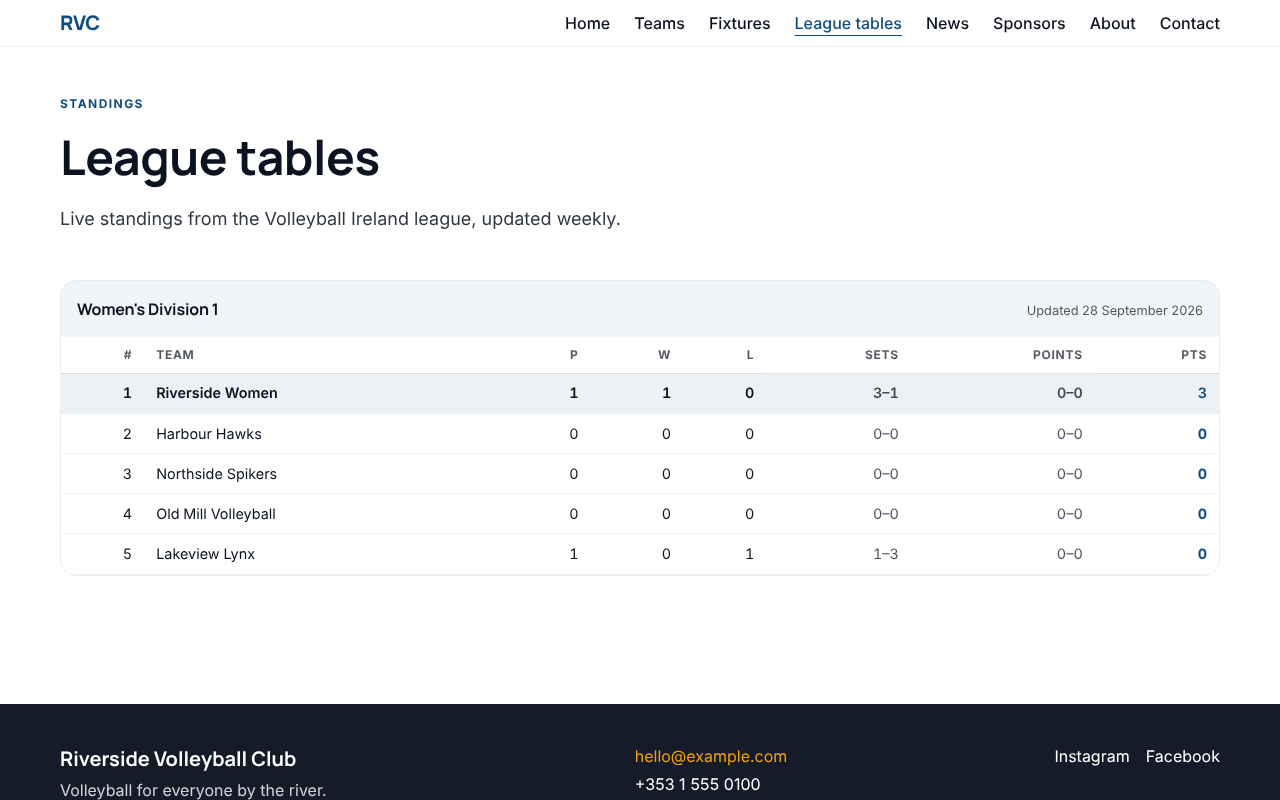
- League tables: the full standings of each competition your teams play in. They appear on the League tables page, on each team's page and in any League table block.
- Fixtures and results: your teams' league matches, with date, time, opponent, home or away, venue and the result once it's in. You choose per team whether to import them.
- Venues for away games that aren't on your site yet.
What it doesn't do: friendlies, cup games, tournaments and anything else outside the league. Add those yourself under Fixtures.
Two possible sources
The Source section of the page picks where the data comes from:
| Source | What you need | When to use it |
|---|---|---|
| League feed | A club key (starts lf_) from the league feed administrator. | Recommended. Teams are matched by the league's own IDs, venues come with full addresses, and it powers live scores. See Set up the league feed. |
| The federation's results website | Nothing: it reads the public results site. | If your club has no feed key yet. You add each competition by its ID, and redo this every season. See Use the results website instead. |
You can switch between them at any time. Switching doesn't delete anything already on the site.
League keys
A league key is a short code you choose for each competition, such as PM (Premier Men) or D1W (Division 1 Women). It connects three things:
- the imported league table (its League key field),
- the team that plays in it (the team's League key field), so the table shows on the team's page,
- any League table block on a page, which shows the table with that key.
Pick a key when you link a team or add a competition, then type the same key into the team's League key field. Keep keys the same from season to season, so pages and teams keep showing the right table.
Next steps
- Set up the league feed
- Syncing, locks and duplicates: what "Changes waiting" means, and why some fixtures can't be edited.